Business Groups are an optional means of stock grouping and accounting in the FuelTorque system that are used for business performance reporting rather than trading performance reporting.
A Business Group is created and edited in the Configuration/Business Groups menu. Selecting an existing business group makes it available for editing. Select the "New Business Group" button to create a new business group and then follow the onscreen prompts.
Creating a new Business Group brings up the New Business Group form.
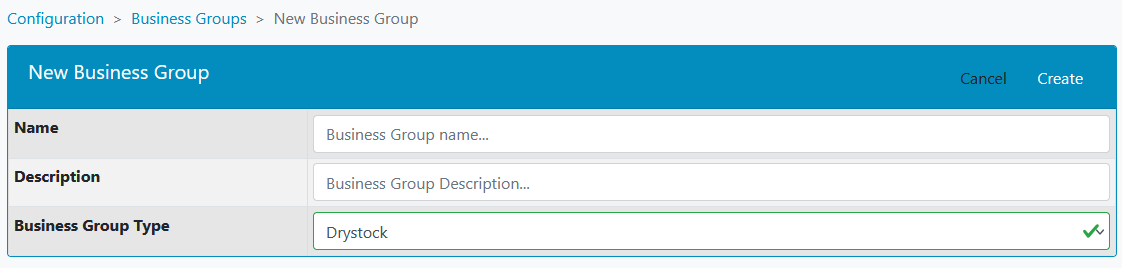
Name:
Enter a descriptive Business Group name. For instance, for shop items traded in a convenience store, then the Business Group name might be "C-Store"
Description:
Enter a description describing the purpose of the business group.
Business Group Type:
- Drystock department types must be Drystock departments
- Wetstock department types must be Wetstock departments
- Modifier department types must be Modifier departments
- Operating Overhead department types must be Operating Overhead departments
- Fixed Asset department types must be Fixed Asset departments